

A successful backup job tells you that a backup operation completed. It does not tell you whether the team can rebuild the application from it. A restore drill answers a different question: can someone locate the right backup, recover the required data and verify that the service behaves as expected?
Define what must be recovered
List the database, object storage, configuration and credentials the application depends on. Decide how much recent data loss the business can tolerate and how long recovery may take. These are planning requirements to agree with the service owner, not numbers a backup tool can choose for you. Record dependencies that are maintained outside the database, and include their recovery ownership in the DevOps runbook scope.
PostgreSQL's SQL dump documentation describes logical dumps and their restore procedures. It also distinguishes a single-database dump from cluster-wide objects such as roles. Choose a backup method appropriate to the required recovery point and database size, and document the exact tool versions used in the drill.
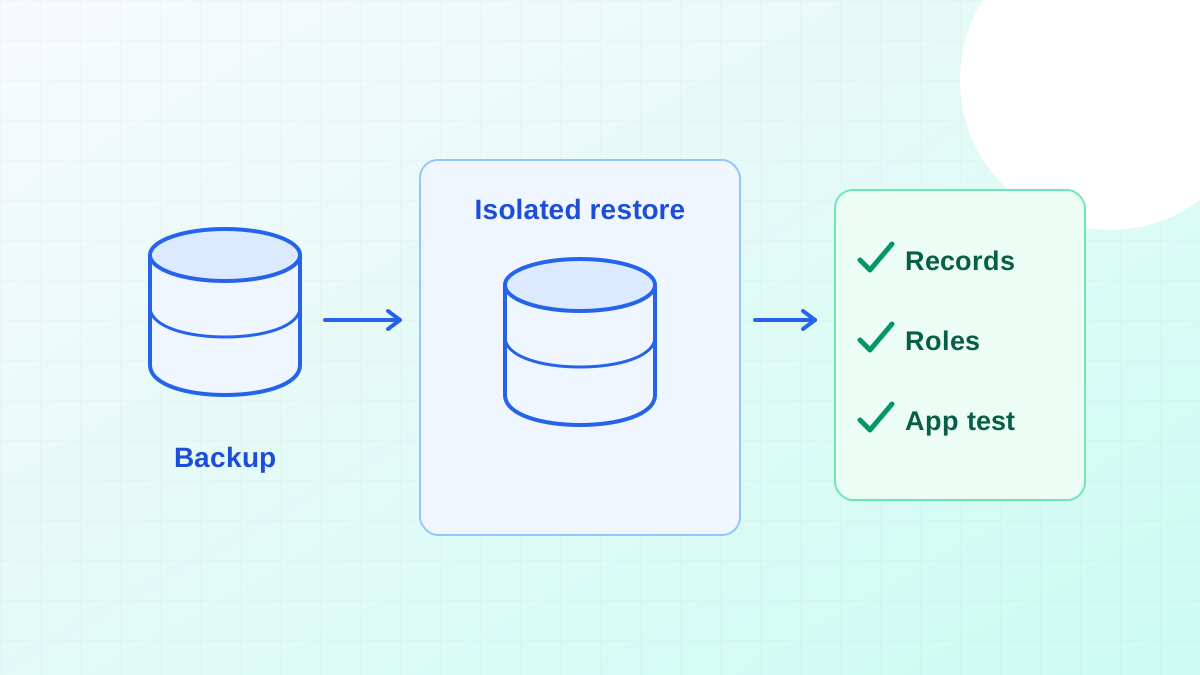
Restore somewhere isolated
Use an environment that cannot accidentally send customer emails, charge payments or process live jobs. Restore the data with the permissions it needs, then verify expected tables, constraints and representative records. Keep access to the recovered data restricted; a temporary recovery environment still contains sensitive information if the source does.
Record the time spent locating the backup, obtaining access, transferring data, restoring and validating. This breakdown is more actionable than a single duration. If access depends on one unavailable person, the drill has found a process failure even when the backup file itself is healthy.
Check the application and record the gaps
Run a small set of representative tasks against the restored service. Check a read, an authorised write and a background job with external side effects disabled. Compare the recovered state with the intended recovery point. A database that accepts connections can still be missing the roles, assets or configuration the application requires.
Turn failures into owned follow-up work and repeat the affected part after fixing it. Include the recovery runbook in a technical audit and rescue plan. The request-tracing guide can help verify where a restored workflow stops if the database succeeds but the application does not.