

A form is not finished when its submit button works. Someone may miss a field, enter an unfamiliar date format or lose their connection after sending it. The frontend implementation needs to explain the current state and offer a useful next action without making the person reconstruct their answers.
Make the expected input visible
Use a persistent label for each field. Put format instructions beside the control before an error occurs, and identify required fields consistently. A placeholder disappears as soon as someone types, so it cannot carry the only explanation of what a field means. Group related controls when their relationship matters, such as a set of contact preferences.
The W3C forms tutorial covers labels, grouping, instructions and feedback. Use those patterns as the foundation, then test the actual form with keyboard navigation and assistive technology. A component library does not know whether your chosen labels explain the user's task.
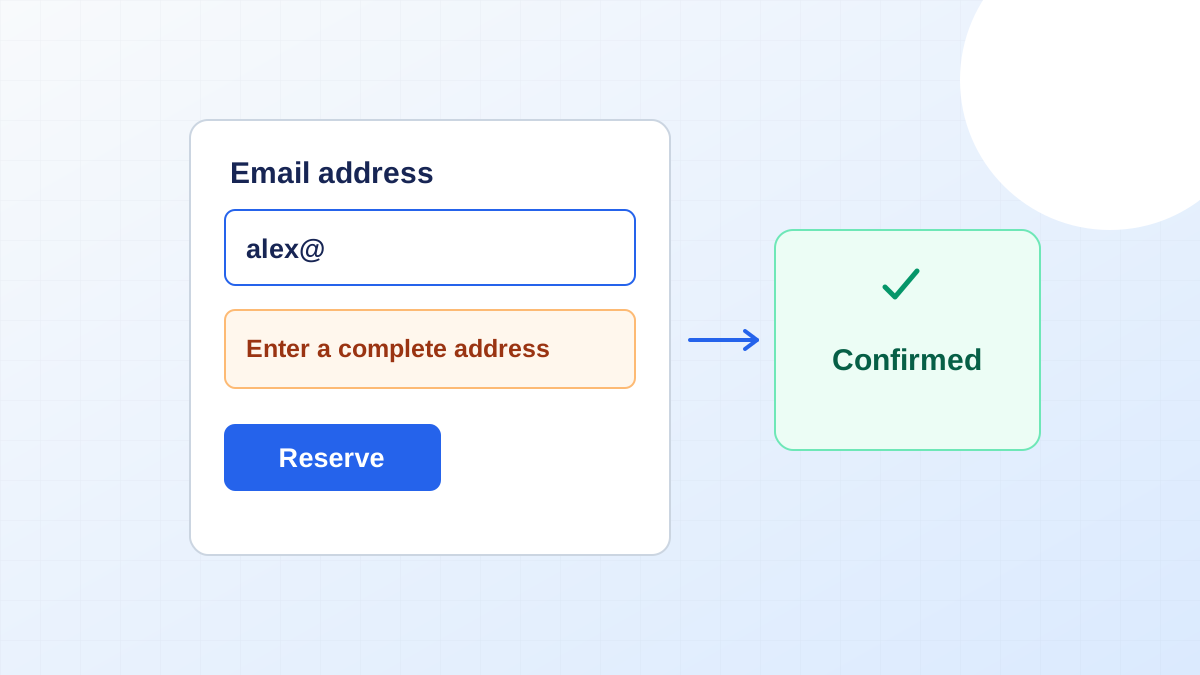
Describe the correction
Replace a generic invalid-input message with the problem the person can fix. For an email field, ask for an address in the expected format. For a booking date, identify the permitted range. Associate the message with its field, and provide an error summary for a longer form so users can find the affected controls. Do not rely only on a red border.
Preserve valid values after a failed submission. If a server rejects a slot because it has just been booked, keep the customer's contact information and offer remaining availability. This is a different problem from a missing value, and the interface should explain the difference.
Close the loop after submission
Show a confirmation that names what was received and what happens next. If the network response is uncertain, avoid declaring failure when the server may have accepted the request. An application can use a request identifier to check the result before offering another submission. Try this interrupted path during QA rather than limiting review to screenshots.
Include these states in the first product discovery brief. They also belong inside the release boundary described in our MVP scope guide, because a user journey includes recovering from a mistake as well as completing the ideal path.